Understand your Firestore query indexes.
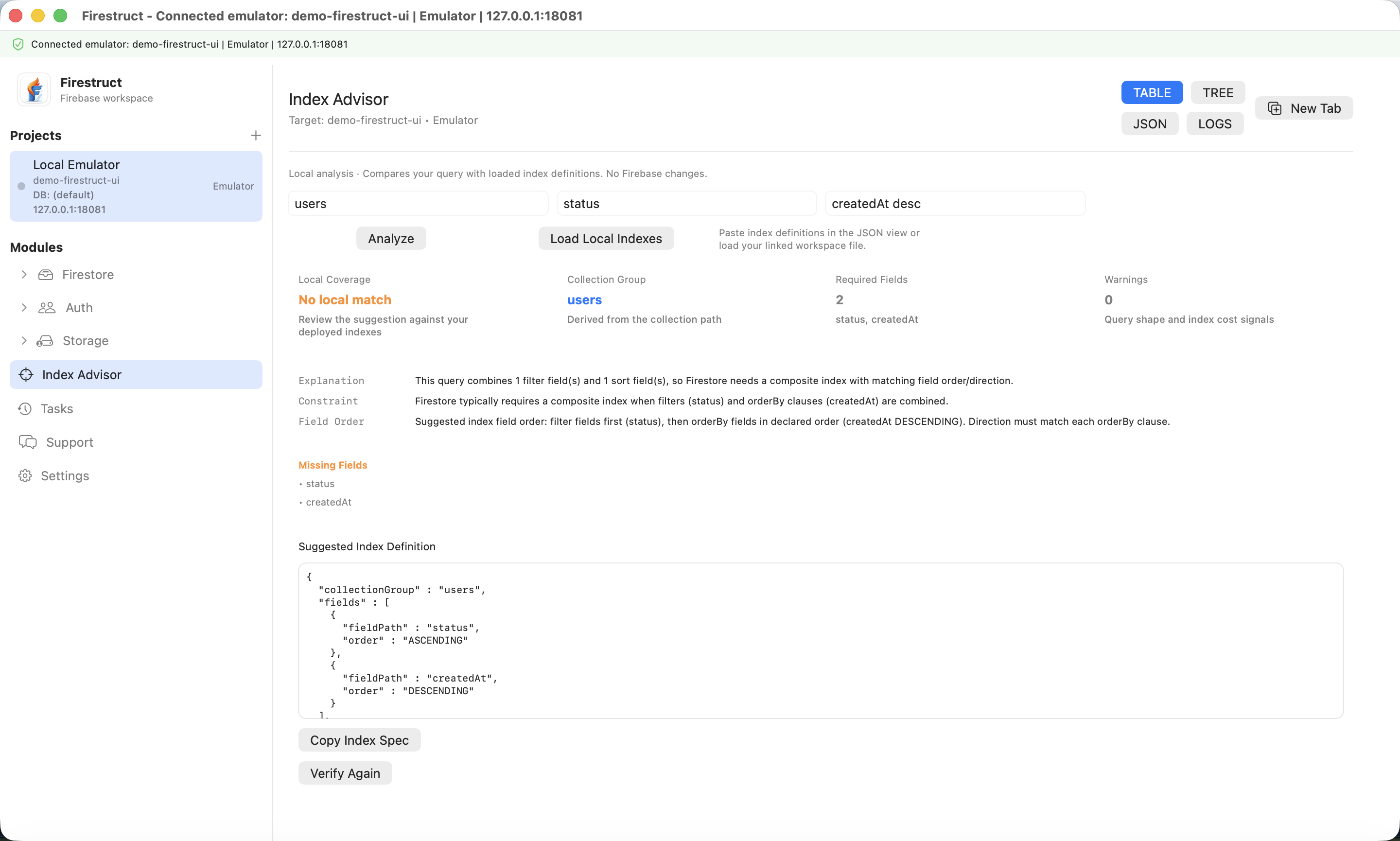
Index Advisor compares a Simple query with loaded local definitions. Review the evidence and suggested index JSON without changing Firebase data.
Send your query to Index Advisor
In Firestore Simple mode, enter the collection path, filters, and ordering, then choose Analyze Index. The handoff carries the query into Index Advisor without executing it or waiting for a backend error.
Load definitions and compare
Open JSON and paste firestore.indexes.json into Firestore Indexes JSON, or choose Load Local Indexes with a linked workspace. Choose Analyze, then Table to inspect local coverage, field order, sort directions, and suggestions.
- Table summarizes local coverage and suggested index definitions.
- Tree explains the comparison steps and query shape.
- JSON exposes index input and report details; Logs records analysis output.
Interpret local coverage correctly
No local match means the loaded definitions did not match the simplified query shape. It does not prove an index is missing from your Firebase project. Review suggestions against deployed configuration before creating an index in Firebase Console.
After changing definitions, reload or paste the updated JSON and analyze again. The comparison is deterministic and considers field order and sort direction.
Release scope and access
Index Advisor is available in version 1.2. Local analysis is available in Free mode; persisted index caching requires Pro. It does not fetch deployed indexes, create indexes, or write Firebase data.
Live index sync, automatic deployment, and AI explanations are not included. Verified backend missing-index handoff remains separate from the local analysis release scope.